Using this feature the negotiator will be able to configure bpmn steps in which the process will pass
Configuration
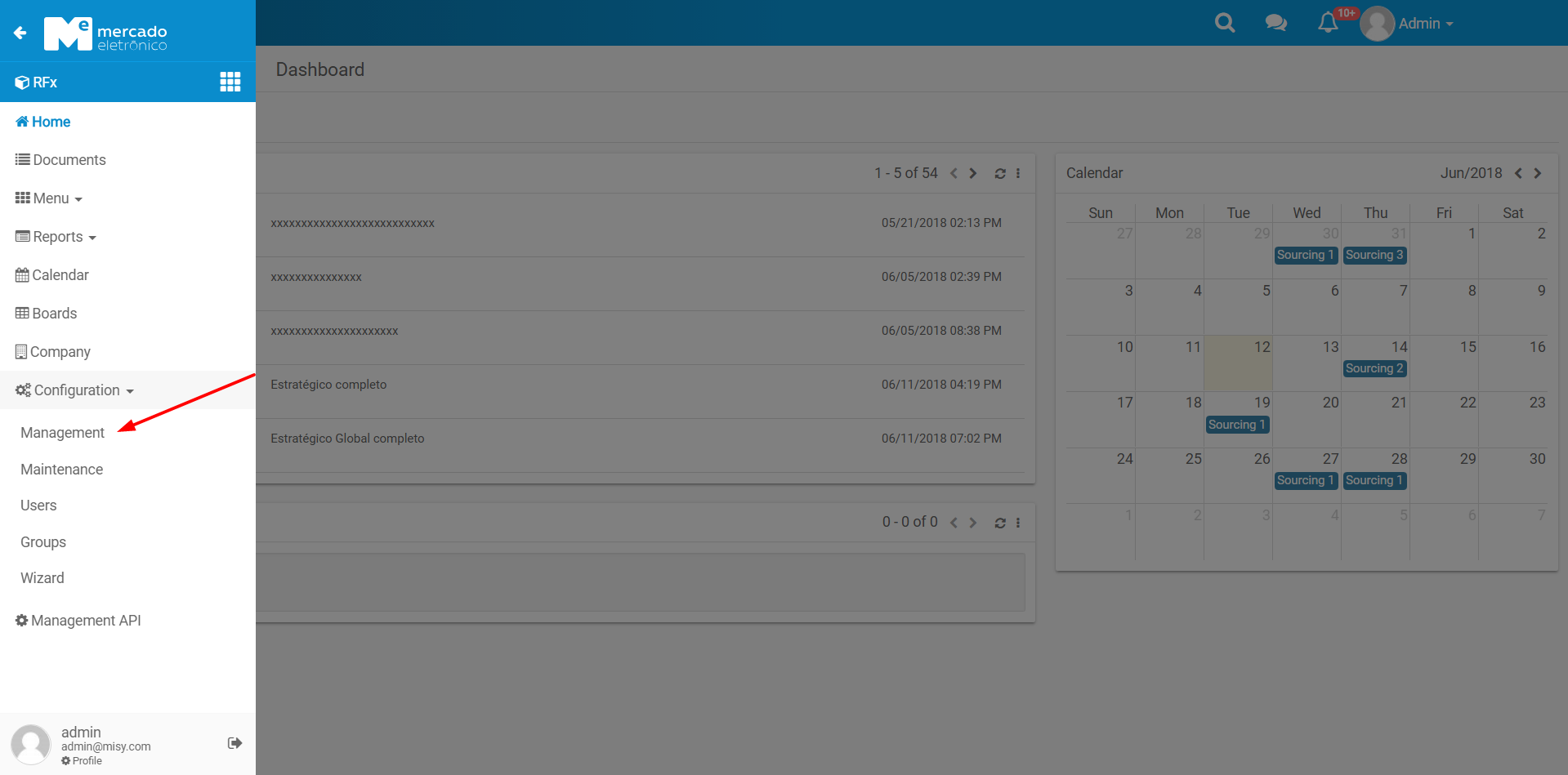
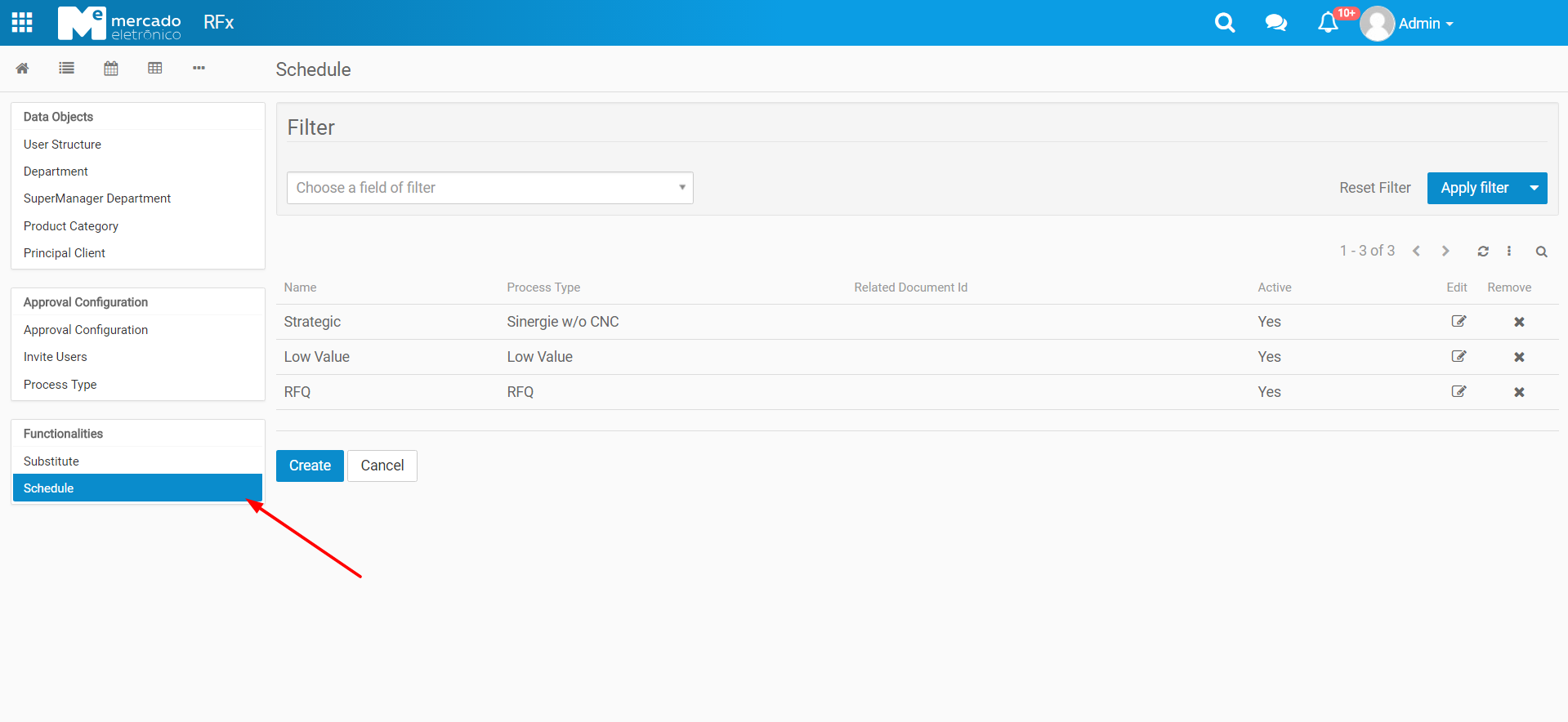
The configuration page can be accessed by Management menu as you can see in the image below
The Schedule link will only appear for users who have the role PERM_MANAGE_SCHEDULE
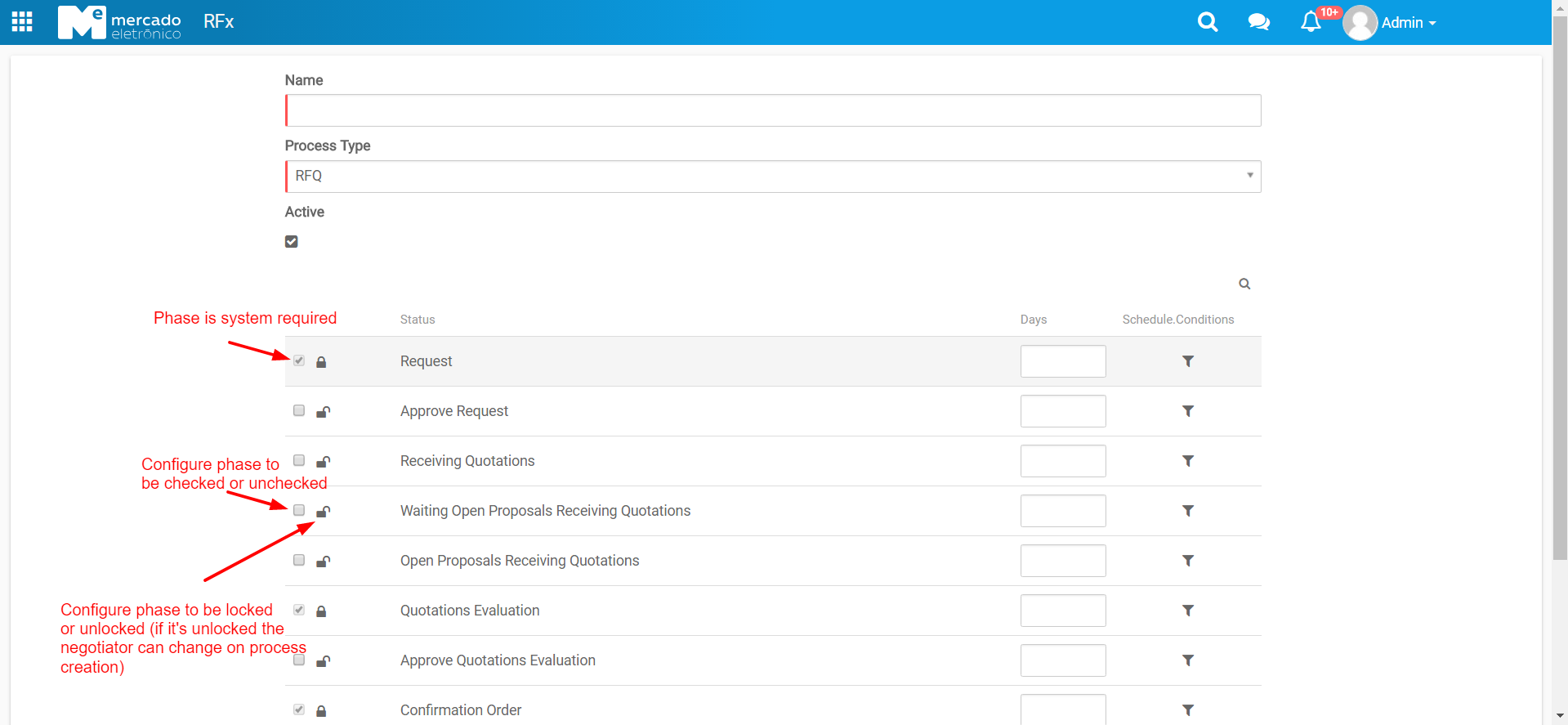
In the creation page we display the phases by process type, when process type is changed the phases will be reloaded
Rules
In system required phases you cant change checked, locked and conditions, you can just configure the estimated number of days to conclude
In the other phases you can configure checked, locked, estimated days and conditions
checked
Indicates that in the creation of the process this phase will be marked
locked
Indicates that in the creation of the process this phase may or may not be changed by the negotiator
days
Indicates estimated days to finalize phase
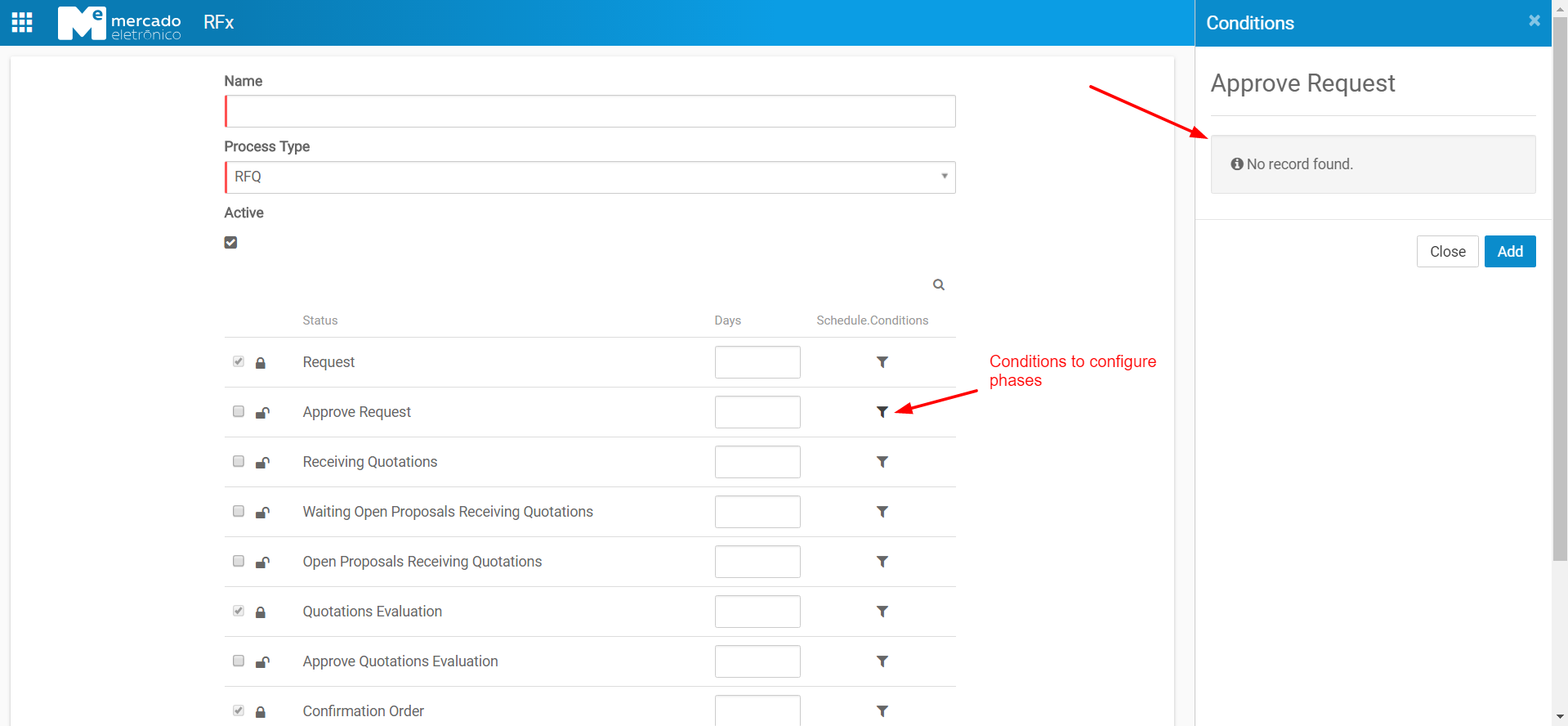
conditions
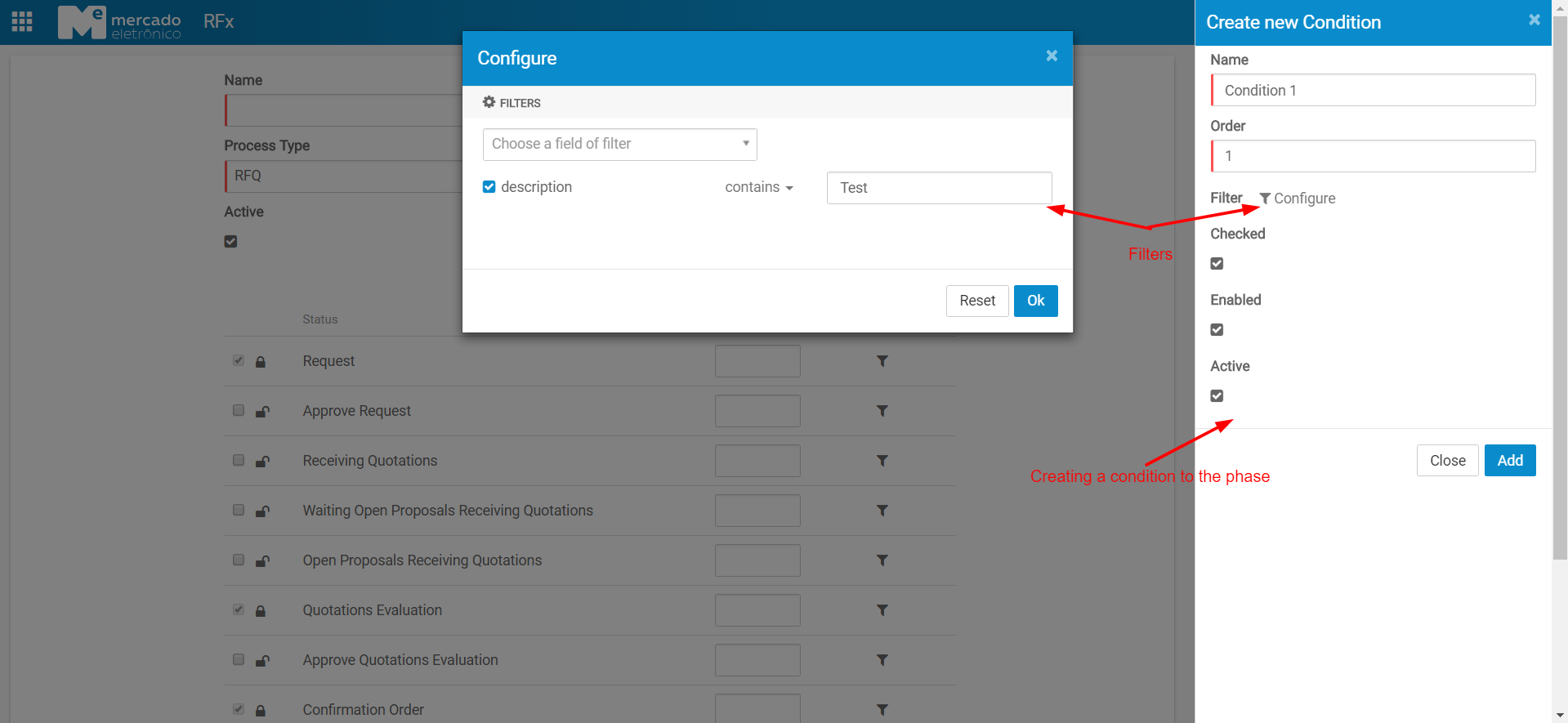
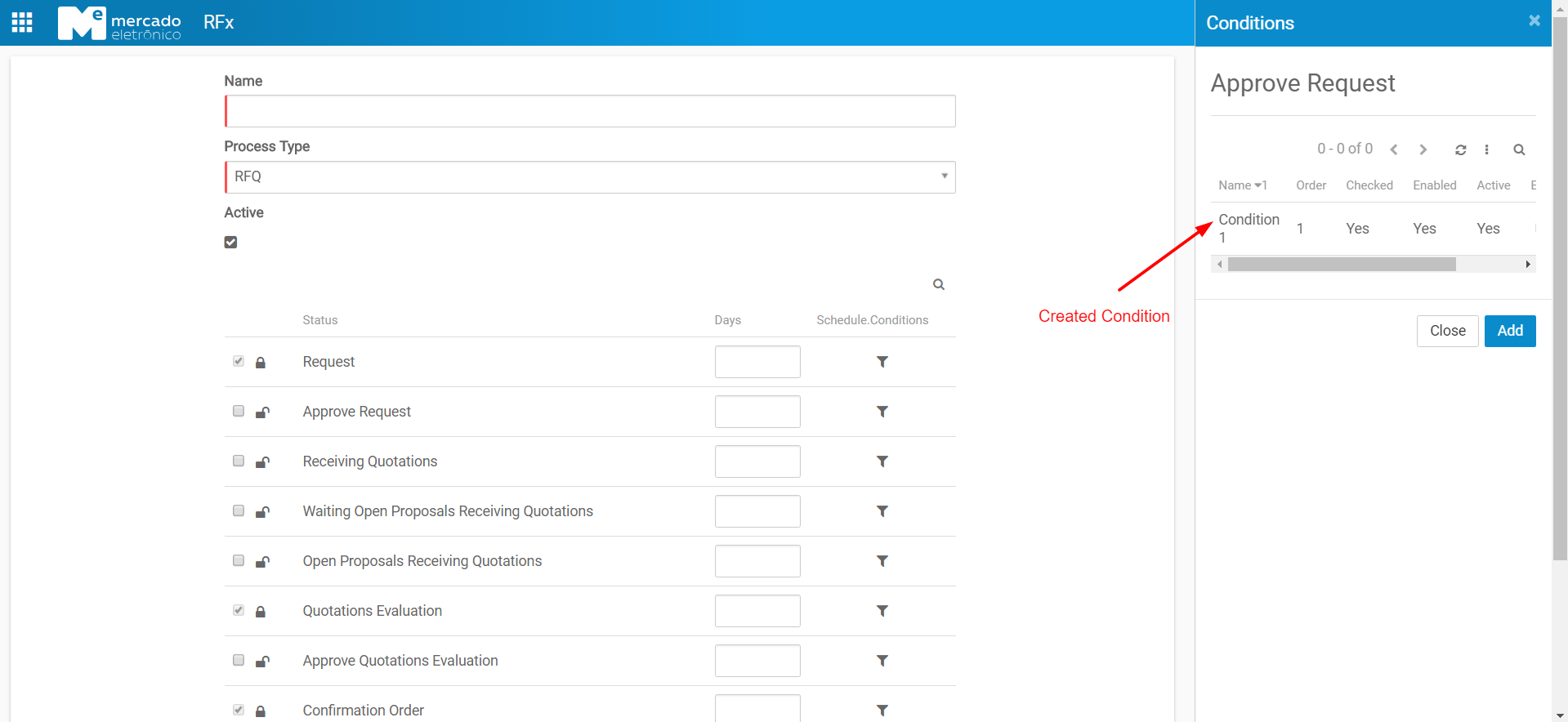
In this option you can configure conditions to set checked and locked options using a filter, if none of the conditions match then it will be worth what is set in phase
Phases
Conditions
Creation
Created
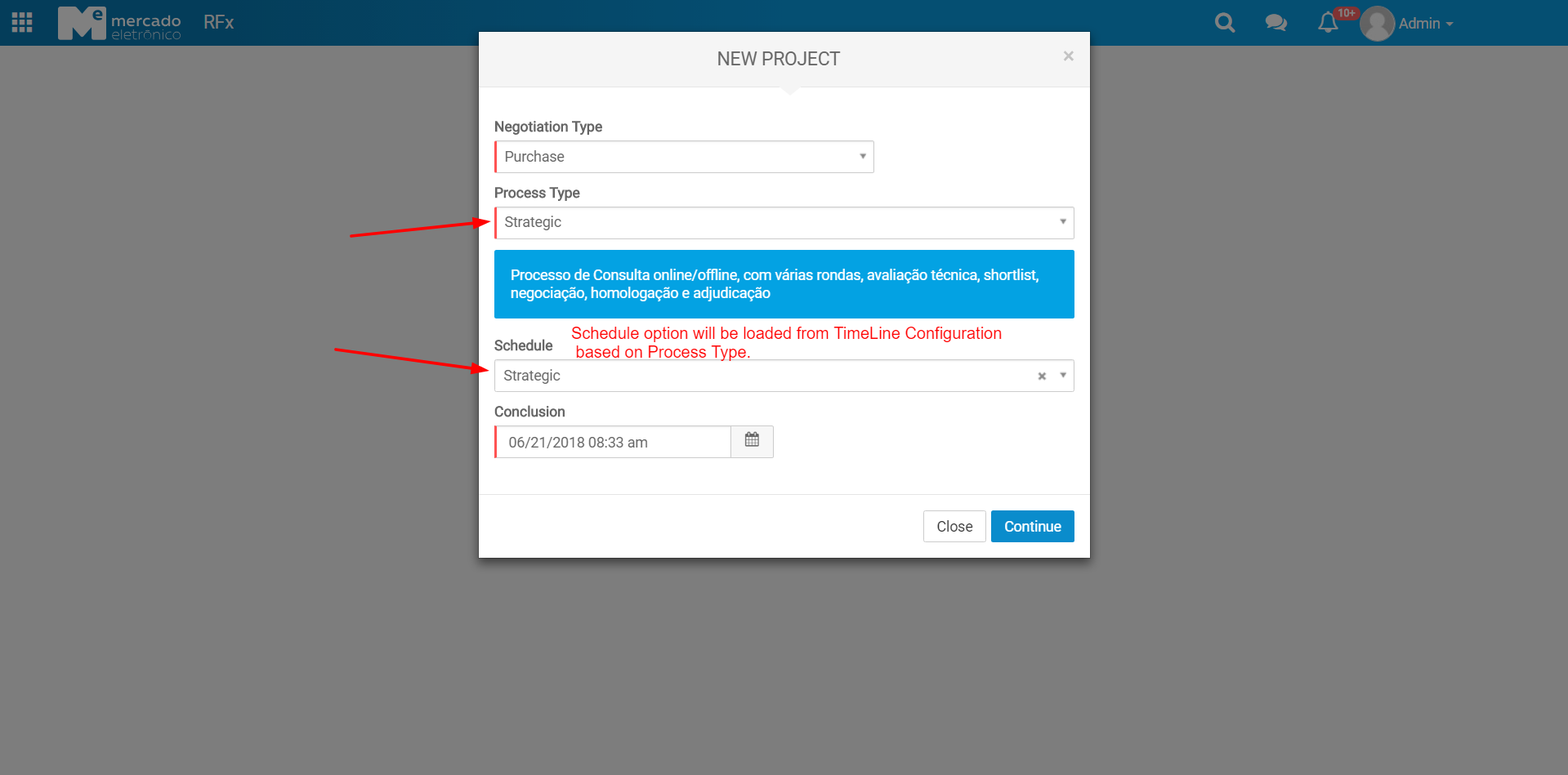
Using the schedule in the process
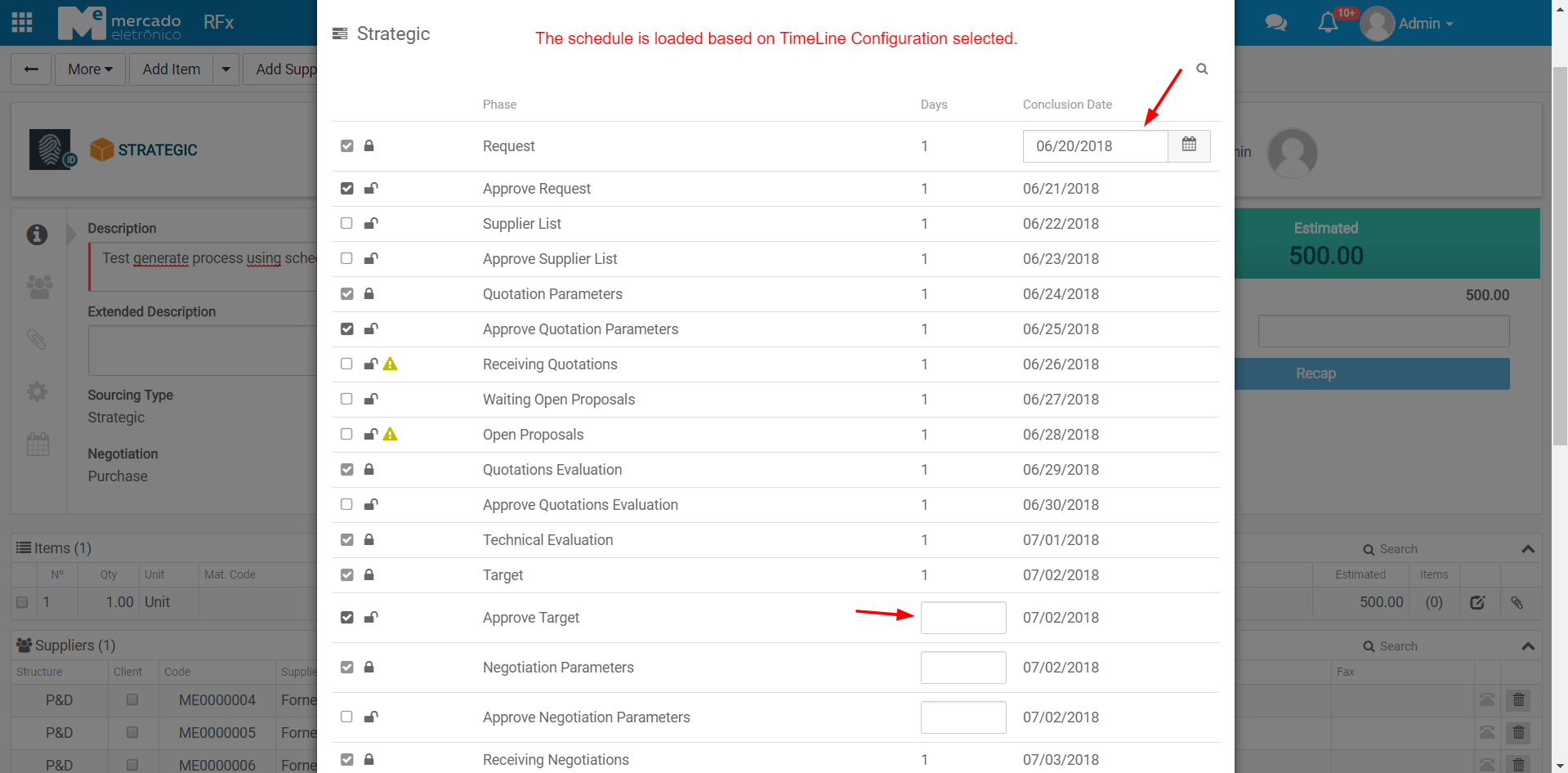
The schedule is loaded on pre-create page based on the process type
If a timeline is selected then the bpmn flow will follow the schedule settings
Negotiator can change (check or uncheck) some phases based on TimeLine Configuration.
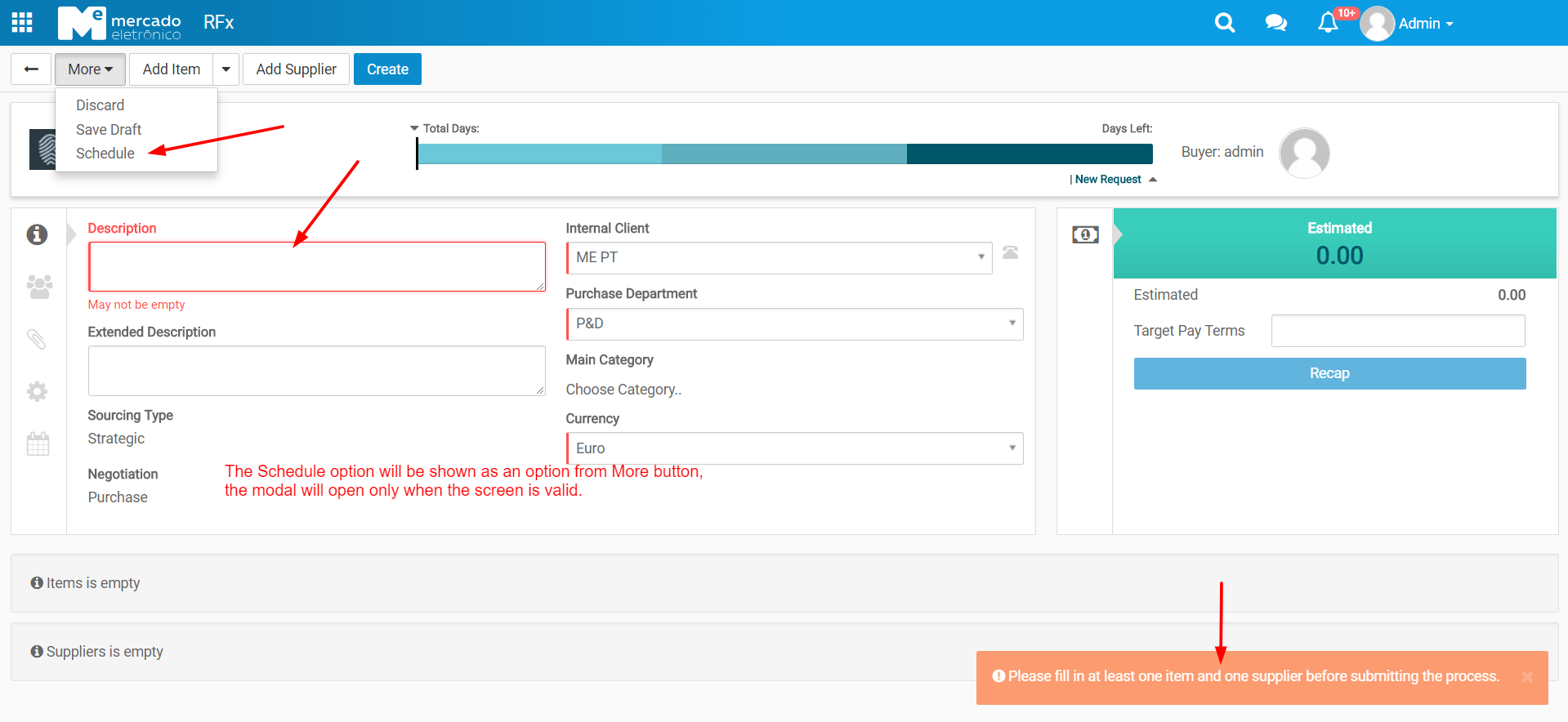
The schedule modal will open only when the screen is valid, because we have filters in conditions based on document then the document needs to be valid
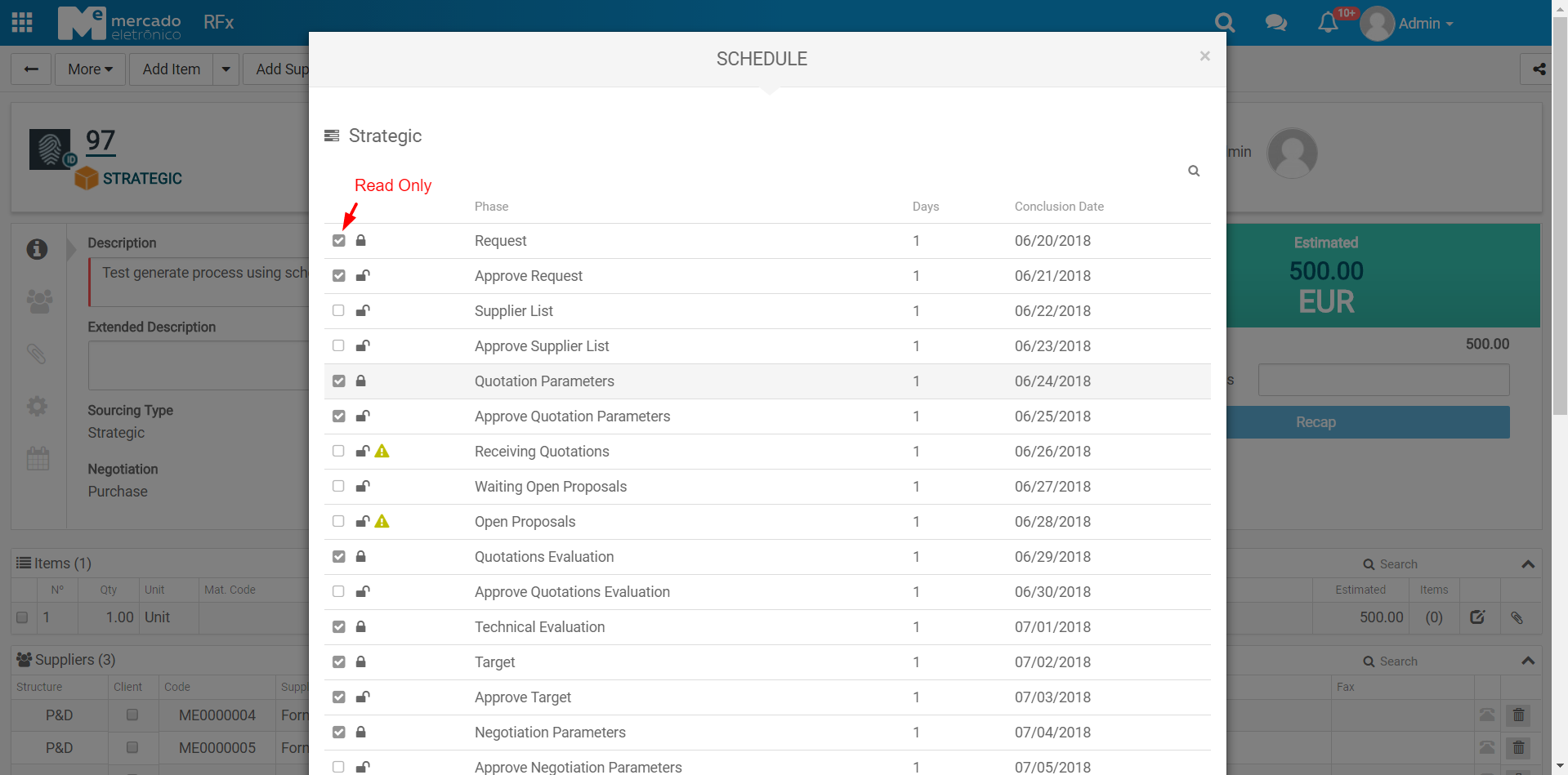
After create a process related to a schedule on the more option you can see the schedule configured on read only mode