Edit First Offer
Who?
Buyer user.
Where?
In SourcingFlowDoc documents.
When?
In Negotiation Evaluation phase (Sinergie and Sinergie w/CNC, also known as two round processes) or Quotations Evaluation phase (RFQ and Low Value, also known as one round processes).
Why?
To let buyer users edit change the first offer for a given supplier in the negotiation round (Negotiation Evaluation phase), or when the buyer creates a new round (Quotations Evaluation phase).
How?
To edit the first offer for a given supplier, head on to the history column in the supplier items grid inside a SourcingFlowDoc given document.
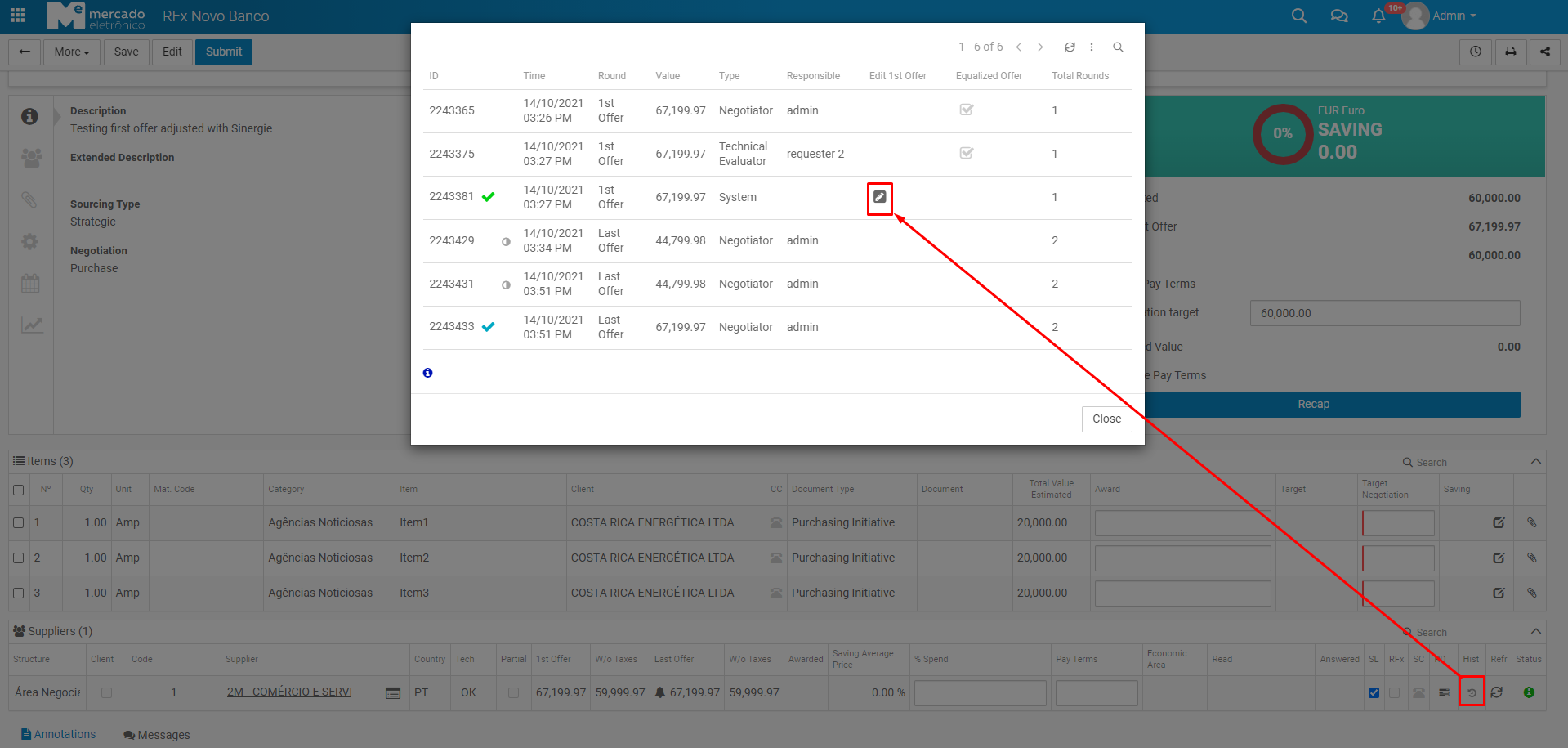
After clicking the link in the pencil icon, it will open up the QuotationReceiverDoc document version submitted in the first offer.
Confirming Edition
After clicking in the Confirm Edition button with the values changed:
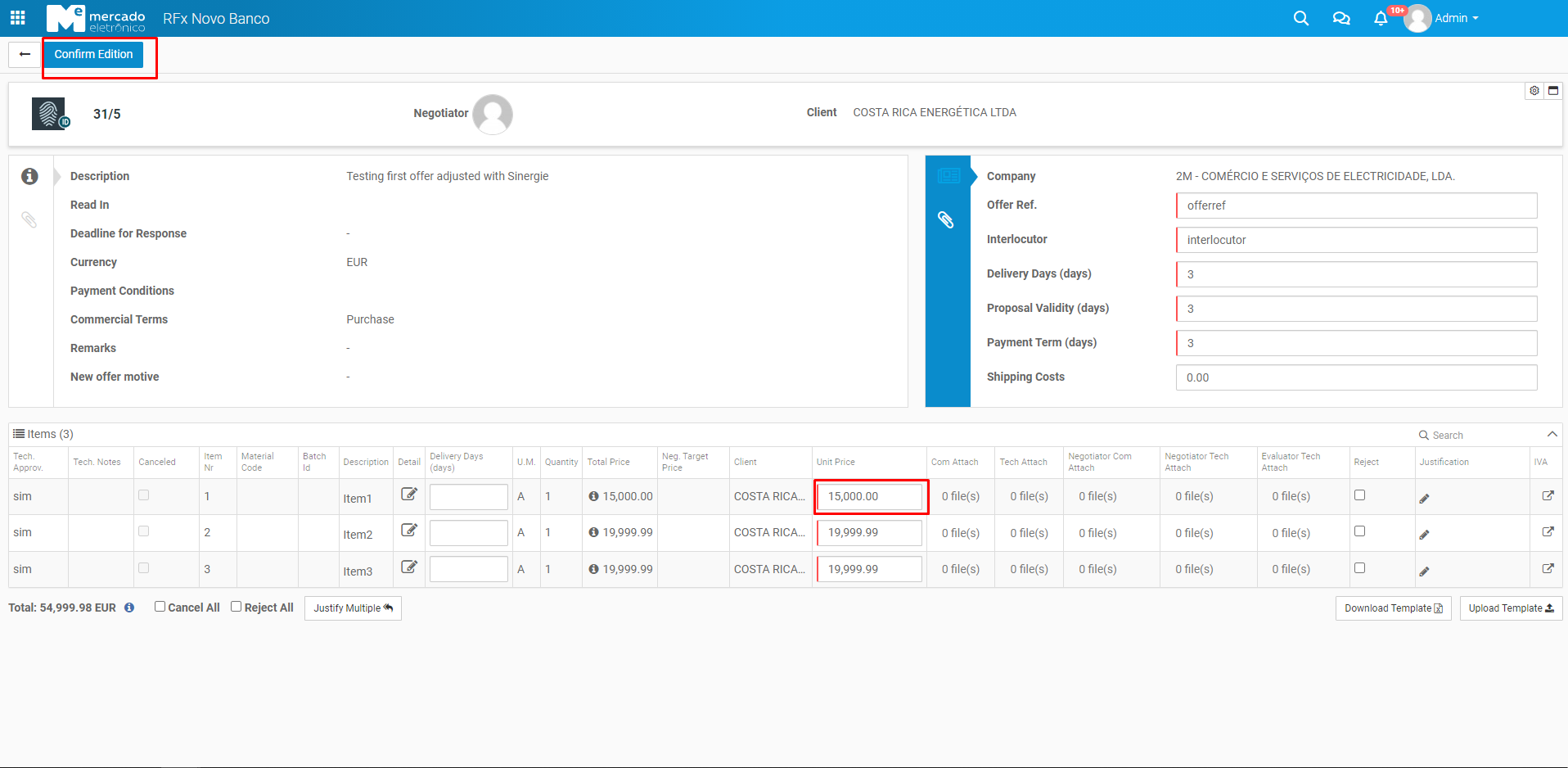
the user will be redirected into the process with the field best1stOffer updated:
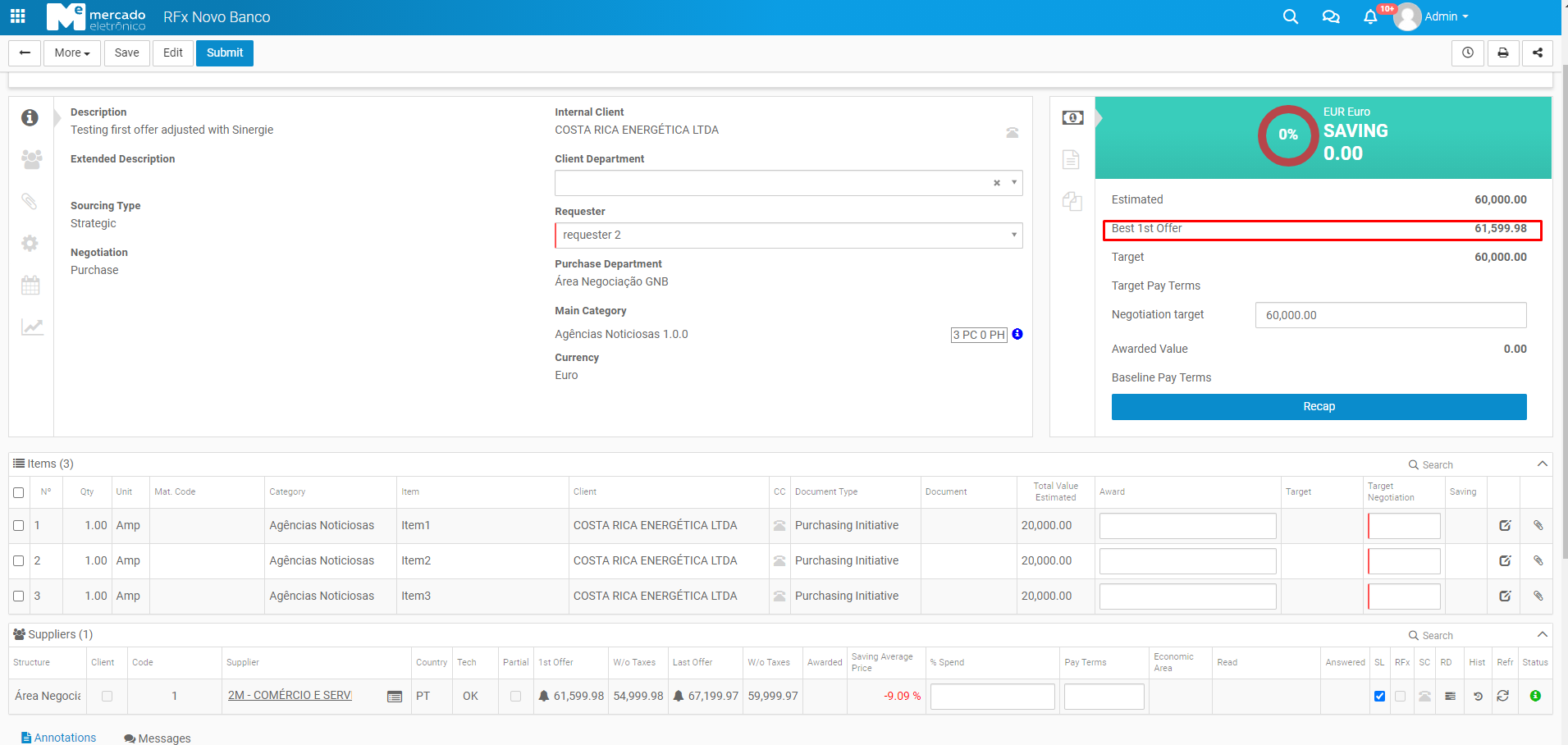
To check this field's behaviour click here